Posts

Showing posts from December, 2012

Year in Review: Top 3 Posts - 1st Place

Image
Happy New Year! We've been looking at our top three most popular posts from 2012, and we're at number 1! And the winner is...Measurement Mondays and measuring online marketing. Previously we reshared our third place winner, 10 in 10: Google Chrome , and our second place post, 10 in 10: Google Calendar . Enjoy the end of 2012! *      *      * A few weeks ago, I shared some basic tips on how to measure your online marketing efforts. Today we’re taking a deeper look at how to measure the effectiveness of your website. Think of your website as your “Open For Business” sign on the web - but unlike your business, your website is open 24/7. So it’s important for you to measure how well your site is achieving your business goals. By using free tools like Google Analytics , you can see how visitors are finding and interacting with your site, which can help you improve your customer experience and potentially drive more sales. Here are five things that every busines...

13 business tips to countdown to 2013, Part II

With 2013 around the corner, we’ve collected the top 13 tips for you to get your business ready for the new year. We've been posting one tip each day on the Google+ Your Business page , and previously we shared our first five tips here . Check out our next five tips, and keep an eye out for our last three as we countdown to 2013! Tip 6: Use Google Sheets Use Google Sheets for all your business’s spreadsheet needs, such as keeping lists, tracking projects, and analyzing data and results. Collaborate with co-workers by sharing editing rights, commenting on files, and chatting with other viewers in real-time. Learn more Tip 7: Create duplicate Google+ Events Does your business Google+ Events to host regular events? Now you can easily turn your last sale, customer meet-up, or Hangout on Air into a monthly or quarterly affair by duplicating the event. Open up your last event and select Actions > Duplicate event. Google+ will pull in all the important details, so you don’t have to...

13 business tips to countdown to 2013, Part I

With 2013 around the corner, we’ve collected the top 13 tips for you to get your business ready for the new year. We've been posting one tip each day on the Google+ Your Business page , and we've collected the first five tips here. Start getting your business ready for 2013 now, and stay tuned for the next set of tips! Tip 1: Create new holiday promotion ads in AdWords It's the busy holiday season and we want your customers to find you online! Often, businesses that advertise with Google make edits to their ad text to promote a holiday sale or deal to bring customers to their website. While we recommend advertising these promotions, here's a little tip we want to highlight: Don't jump straight into your ad that you have running and click to edit that ad. Saving changes to an existing ad causes the ad to go under review which, depending on the number of ads that you have in your account, can cause an interruption in your ad delivery. Instead, we recommend creating a...

Year in Review: Top 3 Posts - 2nd Place

Our year in review continues, where we're looking at our top three most popular posts from 2012. Last week we reshared our third place winner, 10 in 10: Google Chrome . Coming in second is another piece from our 10 in 10 series, this time our tips for using Google Calendar. *      *      * The daylight hours are getting shorter, but the work day is as busy as ever. If you use Google Calendar to schedule your business’s days, weeks, and months, check out our tips for organizing and using your calendar more efficiently. The Google Calendar Android app lets you manage all your calendars in one place--including those from your Google accounts and other synced calendars--right from your mobile device. Use keyboard shortcuts to make and manage your events quickly. For example, when you’re on your calendar, try typing c to create a new event, d to display your calendar in day view, or n to see the next date range. Collaborating on events with co-workers using G...

The Perfect Gift for that Business Owner on Your List

Here in the US, 58% of small businesses do not have a website. These business owners could be your uncle, your cousin or your best friend. This holiday season, a website may just be the perfect gift for that small business owner on your list. As part of our Get Your Business Online program , small businesses in the US can get an easy-to-build Intuit website, a custom domain name and web hosting. All free for a year. Why not invite that business you know to get online? To get started and send the gift of a free website, go to www.gybo.com/gift  where you can find that business and send them a personalized invitation. It’s fast, easy and free. With 97% of internet users looking online for local products and services, it is not a surprise that businesses with an online presence are expected to grow 40% faster. (BCG Report, “The Connected World: The $4.2 Trillion Opportunity,” March 2012) We all want to see our favorite small businesses succeed and getting them online may just be one...

Leekes attracts new customers into its home department store with Google Business Photos

Leekes is an independent, family-owned business that has been around for 115 years. They operate 5 home department stores throughout the UK, offering quality home furnishings. They recently expanded into Coventry, UK, and wanted to build brand and location awareness. Leekes decided to use Google Business Photos to attract new customers by allowing them to virtually tour their new location. Google Business Photos stitches together HDR panoramic images into a Google Maps Street View-style virtual tour. The 360°-degree panoramic tour offered by Google Business Photos has allowed customers to visit Leekes from the comfort of their own home, tablet or smartphone. A high-quality, smooth interactive tour of Leekes’ interior can easily be found on Google Search, Google Maps and Leekes’ Google+ Local page. Once inside the virtual tour, users can “walk around” and explore the store and its many departments. Geraint Martin, head of e-commerce at Leekes states, “We need to quickly give people an ...

AdWords Express holiday offer extended for a limited time

Image
(Cross posted from the Inside AdWords blog ) Still scrambling to stay ahead of the holidays? We want to help you make the most of the last 2 weeks of the year, so we’re extending our offer to double your AdWords Express investment . Just start using AdWords Express to attract new customers to your U.S. business, and you'll get a free advertising credit in January worth what you spend on AdWords Express ads between now and December 31, 2012.* Reaching potential customers online is a snap with AdWords Express . Just select your business category, write an ad, and set your budget. Where and when your ad appears is managed automatically, and you only pay when potential customers click on your ad for more information. And in mid-January, you’ll receive a free advertising credit for that amount you spent on AdWords Express ads in December.* Get started today at http://www.google.com/adwords/express/ . Posted by Richard Holden, Product Management Director, AdWords Express * Terms and cond...

HOAliday Series: How to Create Stand-Out Ads During the Competitive Holiday Season

Image
AdWords Specialists Divya Vishwanath, Alec Fox, and Lauren Maten hosted a Hangout on Air yesterday as the second installment of the three-part HOAliday series. To help you in this busy and crucial time of year, we shared tips on... Ad copy optimization (don’t forget to share your holiday promotion!) Various ad extensions to make your ads stand out How to set up an experiment to see exactly what changes are making the account successful You can watch the full 25-minute Hangout on Air below, or the Google Business YouTube channel . To learn more about how to get started with AdWords, visit our Help Center , check out the AdWords Community forum , or call us at 866-2-GOOGLE if you already have an AdWords account. And remember to tune in to the live stream of our next Hangout on Air at 11 a.m. PDT, December 20th , when we discuss how to keep the holiday momentum going in the new year. HOA HOA HOA and to all a good day/night! Posted by Courtney Pannell and Divya Vishwanath, AdWords Team

12 Google+ Events Tips for 12/12/12

Image
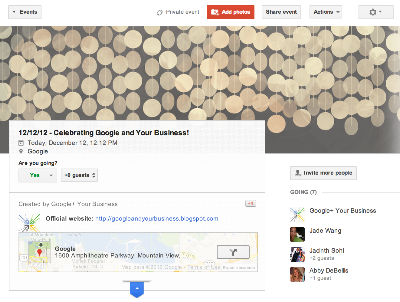
Today, on 12/12/12--the last time this century that the day, month, and year are all the same--we’re bringing you and your business 12 tips on using Google+ Events . From the employee holiday party to your business’s New Year’s sale, check out ways that you can use Events not just to be a party pro, but also to engage your guests before, during, and after your event! Use Google+ to create an event that takes place either offline (such as an event in your store) or online (like a virtual meet and greet with your ownership team). Invite anyone you like. Guests who don’t use Google+ will be able to view and respond to the invitation. Guests who do use Google+ will be able to comment, invite others, and add photos, unless you disable these features. Choose a theme to add flare to your event and represent your business’s personality. Hosting your yearly company party? Having a holiday sale? Choose the theme that best fits your event. Manage your guest list by adding or removing invite...

Highlight Your Events on Google

Image
(summarized from the Webmaster Central blog ) At Google we’re making more and more use of structured data to provide enhanced search results, such as rich snippets and event calendars , that help users find your content. Until now, marking up your site’s HTML code has been the only way to indicate structured data to Google. However, we recognize that markup may be hard for some websites to deploy. Today, we’re offering webmasters a simpler alternative: Data Highlighter. At initial launch, it’s available in English only and for structured data about events, such as concerts, sporting events, exhibitions, shows, and festivals. We’ll make Data Highlighter available for more languages and data types in the months ahead. Data Highlighter is a point-and-click tool that can be used by anyone authorized for your site in Google Webmaster Tools. No changes to HTML code are required. Instead, you just use your mouse to highlight and “tag” each key piece of data on a few typical event pages on y...

Steel + silicon = business success in Detroit

Image
Cross-posted from the Official Google Blog . From time to time we invite guests to post about items of interest and are pleased to have Linzie Venegas join us today. Linzie is head of sales and marketing for Ideal Shield , a manufacturing company in Detroit, Mich. that specializes in bumper post sleeves. Based in a city forged in tradition and steel, Ideal Shield has seen great success on the web—a story Linzie tells us in this post. -Ed. When my great-grandparents moved from Mexico to Detroit in 1917, they were looking for a better life. They had no idea that one day their grandson, my father Frank Venegas, would invent a product and start a business that would help transform their adopted hometown. Thanks to my dad’s hard work and a little help from the web, that’s exactly what Ideal Shield has done. Ideal Shield specializes in manufacturing bumper post sleeves. You may have seen these around—they’re colorful covers that slide over the steel pipes that keep cars from running into b...

Year in Review: Top 3 Posts - 3rd Place

It's well into December, New Year's Eve is just a few weeks away, and like many others, we're thinking about the year in review. Through the end of the month, we'll re-share your top 3 favorite posts from the Google and Your Business blog in 2012. Coming in at number 3 is a piece from our 10 in 10 series--our top 10 tips for using Google Chrome. *      *      * Want to get even faster at work? Use Google Chrome shortcuts to start working as fast as you browse the web: While reading online, have you ever seen a word or phrase that you wanted to learn more about? Next time, just highlight the term(s) and then drag it to your tabstrip to the right or left of your current tab--a new tab will open with search results for the highlighted text. You can also try the Dictionary extension so when you highlight a word the definition will hover over it.  Have a site (or a few) you always keep open, like Gmail or Rdio? You can pin those tabs so that they open the ...

HOAliday Series: Keeping Ads from Going Dark over the Holidays

Image
AdWords Specialists Courtney Pannell, Ben Oberg,  and Brette Henderson hosted a Hangout on Air last week as the first installment of the HOAliday three-part series. During the Hangout, we talked about some tips to keep your ads running during this crucial time for your business. We first explained how to avoid in ad delivery when you’d like to change your ad text to show a holiday promotion or deal. We then shared a few of our best tips with automated rules and billing best practices to make advertising for your business easy during a season that you should get to enjoy, too! To watch the full 20-minute Hangout on Air, visit the Google Business YouTube channel . To learn more about how to get started with AdWords, visit our Help Center , check out the AdWords Community forum , or call us at 866-2-GOOGLE if you already have an AdWords account. And remember to tune in to the live stream of our next Hangout on Air at 11 a.m. PDT, December 13th, when we discuss how to create standout ...

Announcing a new Google Ads Hangout on Air series - “Happy HOAlidays”

(This post has been cross-published from the AdWords blog ) The holidays are crunch time for many advertisers out there, so we’re introducing a new holly, jolly Hangout on Air series on the Google Ads +Page. In this three-part series, AdWords specialists from the 866-2-GOOGLE support team will cover three important topics surrounding your AdWords performance during the holiday season. December 6 at 11 AM PDT: How to keep your ads from going dark during the holidays We’ll discuss tips and tricks for how to manage your account effectively when you might be out of the office on holiday break. December 13 at 11 AM PDT: How to create stand-out ads during the competitive holiday season We’ll share the best strategies for setting yourself apart from your competition. December 20 at 11 AM PDT: How to maintain the holiday momentum We’ll tell you how to assess your holiday performance and engage your new customer base into the new year. To join the Hangouts, just sign into Google+ and add the Go...

Build Your Digital Brand with Google+ Webinar

The Google+ platform provides a fresh canvas for building and strengthening your digital brand, tying into all the marketing you already do with Google. From launching a new product using Google+ pages to engaging with your community of enthusiasts over Hangouts, join our Learn with Google webinar this Thursday for a look at ways your company can build its brand using social. Sign up on our webinar page to attend: Building a Digital Brand with Google+ (Thurs, Dec 6, 10am PT / 1pm ET) After the Hangout, we’ll host a live Q&A with members of the Google+ team to answer questions about building a brand with Google+. RSVP on the Google+ Event page and add your questions as comments on that page. With more than 100 monthly million active Google+ users, the time is right to focus on building your digital brand presence via the platform. Google+ has seen a wealth of brands engaging with users in creative, interactive ways. In fact, brands created more than 1 million Google+ pages in just...